Sep 2, 2026
Shipping Welcome Kits to 100 Hybrid Employees: An Address, Packing and Reorder Plan
A practical onboarding-gift workflow for 100 hybrid employees, covering address privacy, office and home delivery, packing rules, replacement stock and monthly reorders.
Shipping Welcome Kits to 100 Hybrid Employees: An Address, Packing and Reorder Plan
A hybrid-work welcome kit is not simply a box of branded products. It is a small fulfillment program involving employee data, multiple delivery locations, packing consistency, replacement stock and an onboarding date that cannot move.
This practical scenario shows how HR and procurement can organize welcome kits for 100 new employees: 60 starting at company offices and 40 receiving kits at home.
Define the Employee Experience First
The kit should support the first week of work, not just provide several items with a logo. Start by defining what the employee should be able to do after opening it.
For this program, the goals were:
• create a consistent welcome experience for office and remote employees;
• provide useful desk and technology items;
• include one personal message from the manager;
• make replacement and future monthly orders easy;
• avoid collecting more employee information than necessary.
These goals shaped the product selection, packing sequence and shipping plan.
Separate the Kit From the Delivery Method
The contents can remain consistent even when delivery routes differ. For 100 employees, the team divided the program into two fulfillment groups:
• 60 office kits shipped in bulk to three company locations;
• 40 home-delivery kits shipped individually;
• 10 additional unassigned kits held as replacement and late-hire stock.
The same core products were used, but the outer cartons and labels were different. Office kits were packed in larger master cartons, while home kits needed individual shipping protection and address labels.
Choose Products That Survive Separate Shipping
A home-delivery kit passes through more handling points than a kit moved internally from an office storeroom. Products should be compact, durable and easy to replace.
The FoldNest Recycled Felt Tech Organizer can hold charging cables, a pen and small accessories while also acting as an organizing layer inside the welcome box:
https://www.suoyigroup.com/products/foldnest-recycled-felt-tech-organizer
The SpinDock Magnetic Phone Grip Stand adds a useful desk and video-call accessory without taking much packing space:
https://www.suoyigroup.com/products/spindock-magnetic-phone-grip-stand
For a living desk element, the SproutLoop Self-Watering Desk Planter can be supplied without soil or seeds for easier international or long-distance shipping:
https://www.suoyigroup.com/products/sproutloop-self-watering-desk-planter
When comparing products, check weight, breakage risk, battery restrictions, leakage risk, sharp edges and whether the item needs special customs documentation.
Use a Clear Kit Bill of Materials
A bill of materials prevents different locations from receiving slightly different kits. It should identify:
• product name and model;
• color;
• quantity per kit;
• logo method and artwork version;
• individual packaging;
• position inside the box;
• any employee-specific insert;
• replacement code or SKU.
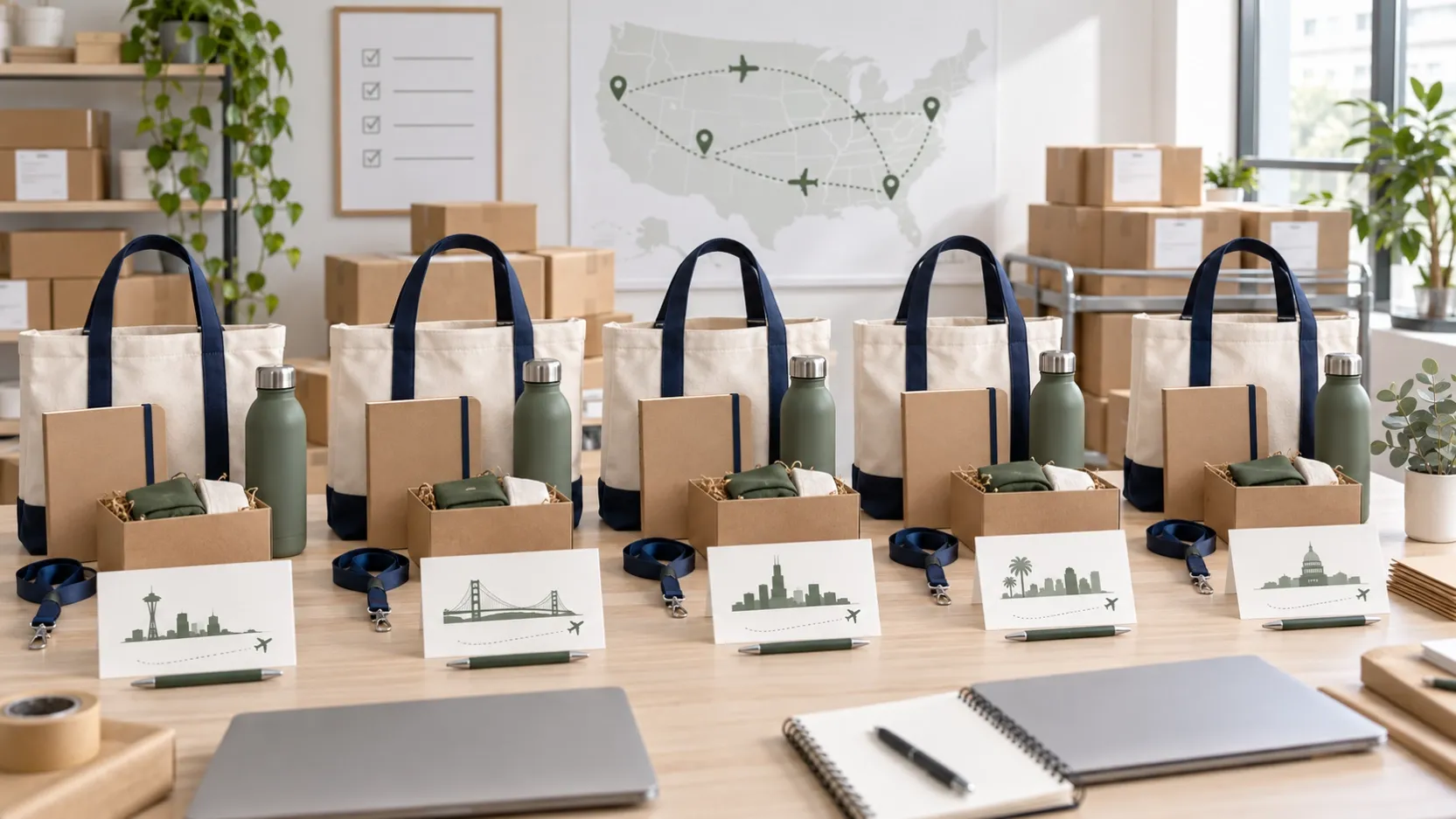
Add a simple packing diagram or reference photo. This gives the packing team one visual standard and helps HR check replacement kits later.
Protect Employee Address Data
Home delivery requires personal information, so the data process should be designed deliberately.
Use these rules:
• collect only the name, delivery address, phone number if required by the carrier, and delivery notes;
• explain why the information is needed;
• restrict access to the people arranging shipment;
• transfer the file through an approved secure method;
• avoid placing the complete address list in general email threads;
• set a deletion date after delivery and issue resolution;
• use an employee ID or shipment reference for status reports whenever possible.
The supplier or fulfillment partner should confirm how address files are received, who can access them and when they are deleted.
Validate Addresses Before Packing
An address problem discovered after dispatch creates delay and extra cost. Before labels are printed, check:
• recipient name;
• street and building number;
• apartment or unit;
• city, state or province;
• postal code;
• country;
• telephone format where required;
• whether the address accepts courier delivery.
Give employees a deadline for corrections. Freeze the first shipment file after that date and move late changes into the next dispatch batch instead of repeatedly changing the active file.
Use One Internal Reference Across Systems
Assign each employee kit a non-sensitive reference, such as HWK-001. The same reference should appear in:
• the address file;
• packing checklist;
• shipping label record;
• tracking report;
• exception log.
This allows HR, procurement and the supplier to discuss a delivery problem without repeatedly sharing the employee’s complete address.
Plan the Packing Sequence
A reliable packing sequence for personalized kits is:
- prepare and inspect all standard products;
- arrange products in the approved box layout;
- add the general welcome card;
- scan or check the kit reference;
- add the employee-specific message;
- close the inner gift box;
- place it in the shipping carton;
- attach the matching courier label;
- record the final weight and tracking number.
The personalized insert and shipping label should be checked together to reduce the risk of sending one employee another person’s message.
Keep Personalization Simple
Personal names can improve the experience, but they also increase error risk. For a first program, personalize one removable element instead of printing the employee’s name on every product.
Good options include:
• a welcome card;
• paper belly band;
• removable name label;
• manager message;
• department-specific instruction card.
This keeps the core kits interchangeable. If an employee leaves before the start date, the unopened products can still be used for another hire.
Create a Replacement Stock Rule
Do not wait for the first lost parcel to decide how replacements work. For 100 employees, holding 8–10 unassigned kits is usually more practical than producing one replacement at a time.
Define which events qualify for replacement:
• parcel lost by the carrier;
• item damaged in transit;
• missing component;
• incorrect personalization;
• product function failure;
• employee address error.
Also define who pays for each type of replacement and whether the full kit or only the affected item is resent.
Use Phased Dispatch
Not every employee must ship on the same day. A phased plan reduces risk.
Example:
Day -20: artwork and kit contents approved
Day -15: sample kit approved
Day -10: employee address deadline
Day -8: office bulk kits packed
Day -7: first 10 home kits dispatched as a live test
Day -5: test tracking reviewed
Day -4: remaining home kits dispatched
Day -2: office kits delivered
Day 0: employee start date
Day +3: delivery exceptions reviewed
Day +7: replacement shipments released
The test batch can reveal label-format or carrier problems before all 40 home kits enter the network.
Plan Monthly Reorders From the Beginning
Hybrid hiring often continues after the first launch. Ask the supplier to document:
• minimum reorder quantity;
• available stock colors;
• artwork and packing files retained;
• lead time for blank products;
• lead time for decorated kits;
• storage cost for reserved stock;
• reorder cut-off date each month;
• process for changing kit contents.
A monthly standing order may be more efficient than urgent individual requests. For example, HR can submit new-hire data on the 15th, approve the final list on the 18th and dispatch all kits on the 25th.
Measure the Program
After the first 100 kits, review operational results:
• number delivered before the start date;
• address correction rate;
• damaged or missing item rate;
• replacement rate;
• average shipping cost by destination;
• employee feedback on useful and unused items;
• time HR spent managing exceptions.
This information helps the next kit become simpler and more relevant.
Final Takeaway
A hybrid employee welcome kit succeeds when the physical gift and the delivery process are designed together. Separate office and home fulfillment, use a clear bill of materials, protect address data, test the first shipping batch, hold replacement stock and establish a monthly reorder rhythm.
When requesting a quotation, provide the employee count, office and home-delivery split, destination countries, target arrival date, product list, branding requirements, packaging plan and expected monthly reorder volume.